Install via Homebrew
$ brew install wardenenv/warden/warden
$ warden svc up
Two-command install and setup process makes getting started lightning fast. Works on macOS and Linux.
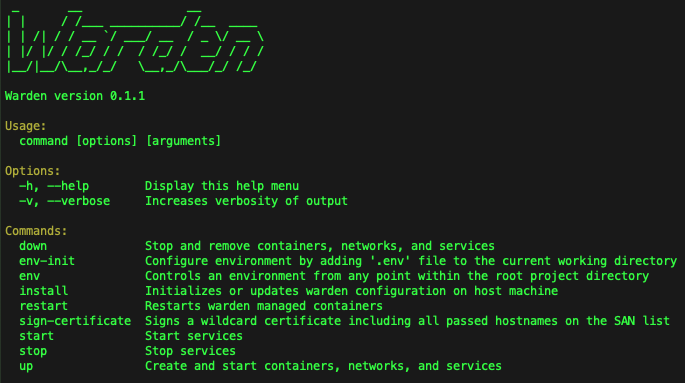


Minimal Dependencies
Requires only Docker, and Docker Compose to get started, and Mutagen on macOS (for Magento 2 file sync).
How It Works
Warden runs three layers of services on your development machine: host tools, shared global Docker services, and isolated per-project services.
flowchart TB
    classDef default fill:#ffffff,stroke:#3f51b5,stroke-width:1.5px,color:#000000,font-weight:bold,font-size:12px;

    subgraph DevSys ["Developer's System"]
        direction TB

        subgraph Host ["Host Services"]
            direction LR
            h1["Warden CLI"] ~~~ h2["Docker Engine"] ~~~ h3["Mutagen File Sync"] ~~~ h4["Trusted SSL Root CA"]
        end

        subgraph Global ["Global Docker Services — warden svc up"]
            direction LR
            g1["Traefik<br>Reverse Proxy + SSL"] ~~~ g2["DNSmasq"] ~~~ g3["Mailpit<br>Email Catcher"] ~~~ g4["SSH Tunnel"] ~~~ g5["phpMyAdmin"] ~~~ g6["Portainer"]
        end

        subgraph Project ["Per-Project Docker Services — warden env up"]
            direction LR
            p1["Nginx"] ~~~ p2["PHP-FPM"] ~~~ p3["MariaDB / MySQL"] ~~~ p4["Redis / Valkey"] ~~~ p5["Elasticsearch /<br>OpenSearch"] ~~~ p6["RabbitMQ"] ~~~ p7["Varnish"]
        end

        Host ~~~ Global ~~~ Project
    end

    style DevSys fill:#f5f5f5,stroke:#666666,stroke-width:1px,rx:8,ry:8
    style Host fill:transparent,stroke:none
    style Global fill:#fff3e0,stroke:#FF9800,stroke-width:1px,rx:8,ry:8
    style Project fill:#e8f5e9,stroke:#4CAF50,stroke-width:1px,stroke-dasharray: 5 5,rx:8,ry:8
Feature List
- Traefik for SSL termination and routing/proxying requests into the correct containers.
- Portainer for quick visibility into what's running inside the local Docker host.
- Dnsmasq to serve DNS responses for
.testdomains eliminating manual editing of/etc/hosts - An SSH tunnel for connecting from Sequel Pro or TablePlus into any one of multiple running database containers.
- Warden issued wildcard SSL certificates for running https on all local development domains.
- Full support for Drupal, Laravel, Magento 1, Magento 2, Shopware, Symfony, Wordpress and custom project environment configurations on macOS and Linux.
Sponsors

Support Warden Development on OpenCollective or Github Sponsors